Search



WORLDWIDE SHIPPING
fast, flexible, secure options

ONLINE SUPPORT 24 / 7
anytime, anywhere help

MONEY BACK GUARANTEE
shop with confidence

WIDE SELECTION
every day low prices
Electronics
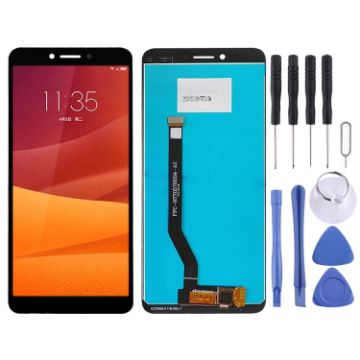
OEM LCD Screen for Lenovo K5 K350T with Digitizer Full Assembly (Black)
- Before Installation Notes
- Tips 1: Test before installation
- When testing, do not remove any protective film or tags. Please pay attention to the problem of static electricity.
- Before attempting any repair, be sure to ground yourself is an ESD (electro static discharge) strap. This will prevent static electricity from damaging the electronic components within the phone.
- Ensure you wear eye protection and use caution not to cut your finger with the glass splinters.
- Tips 2: Simulates testing
- Screen replacement is very fragile product. We strongly suggest test before installation. Please simulates testing, which means mobile phone apart, (motherboard + LCD or screen) connected audio cable and new replacement, power on, test finished. If test OK, please install it. If it can not show, please contact us at the very first time. And please do not force it to be installed in mobile phone. We will not be responsible once the screen is installed.
- Tips 3: Do not over-bend cable
£12.49 £14.75
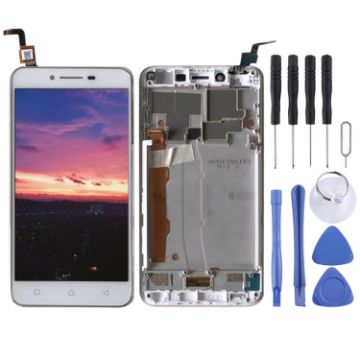
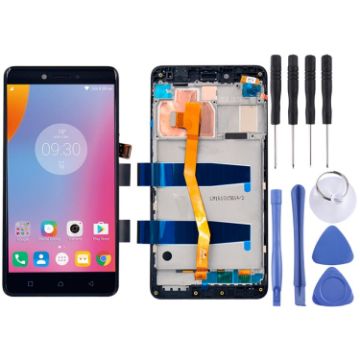
OEM LCD Screen for 5.5 inch Lenovo K6 Note K53a48 Digitizer Full Assembly with Frame (Black)
- Replacement LCD display + touch screen digitizer assembly with frame for 5.5 inch Lenovo K6 Note K53a48.
- Replace your broken or unusable item with a new one.
- Make your device look more refreshing than ever.
- Completely fit and work.
- Each item has been checked and in good condition before shipping.
- Professional installation is highly recommended. We will not be responsible once the screen is installed.
- Before Installation Notes
- Tips 1: Test before installation
£13.65 £16.65
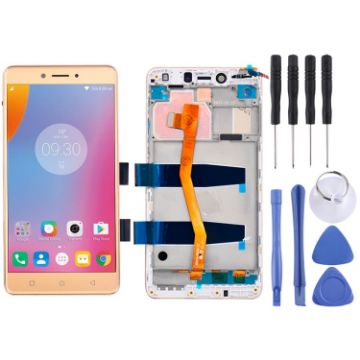
OEM LCD Screen for 5.5 inch Lenovo K6 Note K53a48 Digitizer Full Assembly with Frame (Gold)
- Replacement LCD display + touch screen digitizer assembly with frame for 5.5 inch Lenovo K6 Note K53a48.
- Replace your broken or unusable item with a new one.
- Make your device look more refreshing than ever.
- Completely fit and work.
- Each item has been checked and in good condition before shipping.
- Professional installation is highly recommended. We will not be responsible once the screen is installed.
- Before Installation Notes
- Tips 1: Test before installation
£13.65 £16.65
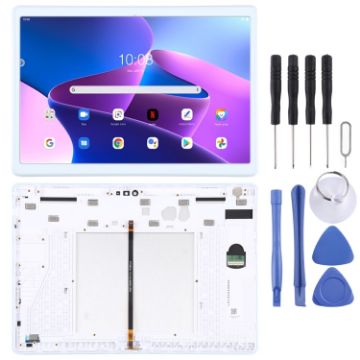
OEM LCD Screen for Lenovo Tab 5 Plus/M10 TB-X605L TB-X605F TB-X605M TB-X605 Digitizer Full Assembly with Frame (White)
- Before Installation Notes
- Tips 1: Test before installation
- When testing, do not remove any protective film or tags. Please pay attention to the problem of static electricity.
- Before attempting any repair, be sure to ground yourself is an ESD (electro static discharge) strap. This will prevent static electricity from damaging the electronic components within the phone.
- Ensure you wear eye protection and use caution not to cut your finger with the glass splinters.
- Tips 2: Simulates testing
- Screen replacement is very fragile product. We strongly suggest test before installation. Please simulates testing, which means mobile phone apart, (motherboard + LCD or screen) connected audio cable and new replacement, power on, test finished. If test OK, please install it. If it can not show, please contact us at the very first time. And please do not force it to be installed in mobile phone. We will not be responsible once the screen is installed.
- Tips 3: Do not over-bend cable
£29.03 £36.29
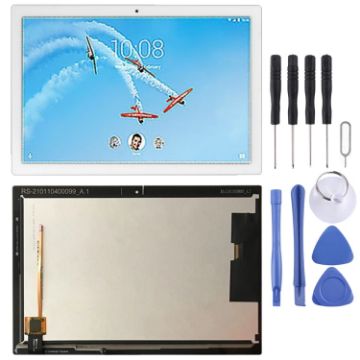
OEM LCD Screen for Lenovo TAB4 10 REL Tablet TB-X504F TB-X504M TB-X504L with Digitizer Full Assembly (White)
- Before Installation Notes
- Tips 1: Test before installation
- When testing, do not remove any protective film or tags. Please pay attention to the problem of static electricity.
- Before attempting any repair, be sure to ground yourself is an ESD (electro static discharge) strap. This will prevent static electricity from damaging the electronic components within the phone.
- Ensure you wear eye protection and use caution not to cut your finger with the glass splinters.
- Tips 2: Simulates testing
- Screen replacement is very fragile product. We strongly suggest test before installation. Please simulates testing, which means mobile phone apart, (motherboard + LCD or screen) connected audio cable and new replacement, power on, test finished. If test OK, please install it. If it can not show, please contact us at the very first time. And please do not force it to be installed in mobile phone. We will not be responsible once the screen is installed.
- Tips 3: Do not over-bend cable
£24.61 £28.79
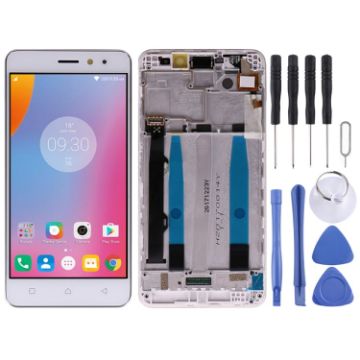
OEM LCD Screen for Lenovo K6 Power Digitizer Full Assembly with Frame (White)
- Replacement LCD screen + touch screen digitizer assembly with frame for Lenovo K6 Power
- Replace the old, broken, cracked, damaged one
- Make your device look more refreshing than ever
- Completely fit and work
- Each item has been checked and in good condition before shipping
- Professional installation is highly recommended. We will not be responsible once the screen is installed
- Before Installation Notes
- Tips 1: Test before installation
£13.71 £17.14
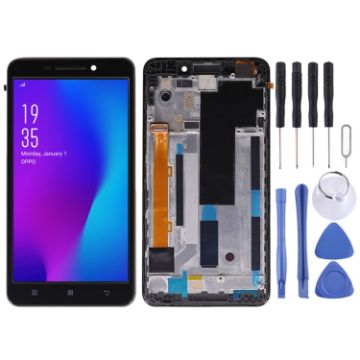
OEM LCD Screen for Lenovo A5000 Digitizer Full Assembly with Frame (Black)
- Before Installation Notes
- Tips 1: Test before installation
- When testing, do not remove any protective film or tags. Please pay attention to the problem of static electricity.
- Before attempting any repair, be sure to ground yourself is an ESD (electro static discharge) strap. This will prevent static electricity from damaging the electronic components within the phone.
- Ensure you wear eye protection and use caution not to cut your finger with the glass splinters.
- Tips 2: Simulates testing
- Screen replacement is very fragile product. We strongly suggest test before installation. Please simulates testing, which means mobile phone apart, (motherboard + LCD or screen) connected audio cable and new replacement, power on, test finished. If test OK, please install it. If it can not show, please contact us at the very first time. And please do not force it to be installed in mobile phone. We will not be responsible once the screen is installed.
- Tips 3: Do not over-bend cable
£11.30 £13.33
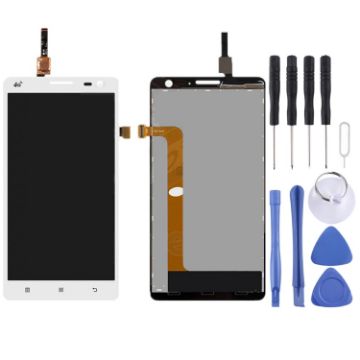
OEM LCD Screen for Lenovo S856 with Digitizer Full Assembly (White)
- Replacement LCD display + touch screen digitizer assembly for Lenovo S856.
- Replace your broken or unusable item with a new one.
- Make your device look more refreshing than ever.
- Completely fit and work.
- Each item has been checked and in good condition before shipping.
- Professional installation is highly recommended. We will not be responsible for any damages to your cellphone/mobile phone that you may cause during the changing of replacement parts.
- Before Installation Notes
- Tips 1: Test before installation
£8.95 £10.30

4pcs/Set Household Wireless Vacuum Cleaner Brush Head Parts Accessories for Dyson V6
- For Dyson V6 Vacuum Cleaner Brush Head Accessories
- Various brush heads are available and easy to use.
- Clean up the dust effectively and keep it clean
- Good quality and durability
- Easy to replace
£7.76 £9.47
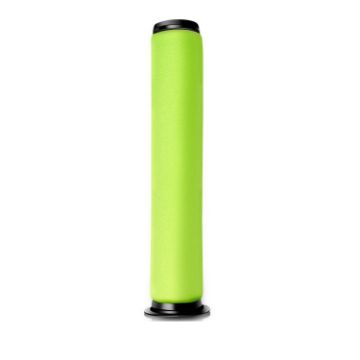
2 PCS Vacuum Cleaner Filter With Washable Cone Rod For Gtech AirRam MK2 K9
- Material: sponge
- Filter dust
- Use environment: home
- Applicable area: 101-150 square meters
- Suitable for Gtech AirRam MK2 K9 vacuum cleaner filter
- Dimensions: 230x55x39 mm
- Weight: about 12 grams
£6.56 £8.20
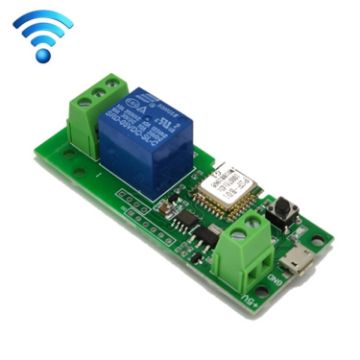
2pcs Sonoff Single Channel WiFi Wireless Remote Timing Smart Switch Relay Module Works, Model: 5V
- Start mode: button switch
- Panel material: ABS
- Electrical life: 1,000,000 times
- The default jog function: the mobile phone presses the open relay to quickly pull in and out (the default interval is 1S), and it also has a timing sharing function
- Press the jog self-locking selection button and the status light is on. At this time, it is self-locking. The mobile phone presses the open relay to pull in, and press the close relay to disconnect
- WIFI control module, no programming is required, just download an APP, connect to WIFI to control the built-in cloud. As long as the module is connected to WIFI, the mobile phone can be controlled anywhere in the country
- Main chip: WIFI module
- Working voltage: DC 5V-12V
£12.52 £15.15

NEED HELP?
Payment options
