Search



WORLDWIDE SHIPPING
fast, flexible, secure options

ONLINE SUPPORT 24 / 7
anytime, anywhere help

MONEY BACK GUARANTEE
shop with confidence

WIDE SELECTION
every day low prices
Computer & Networking
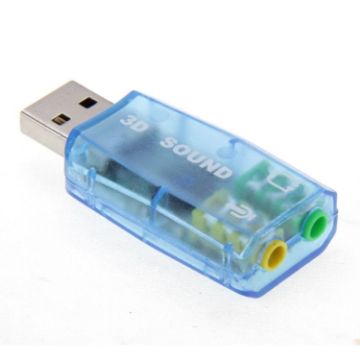
USB DSP 5.1 External Sound Card Adapter Mono Channel (Color random delivery)
- Real USB plug-play
- Drive 2CH speakers directly and support 3D positional sound and virtual 5.1CH sound track
- Use USB port power directly
- External power adapter no need
- Digital class-B power amplifier inside
£4.28 £5.01
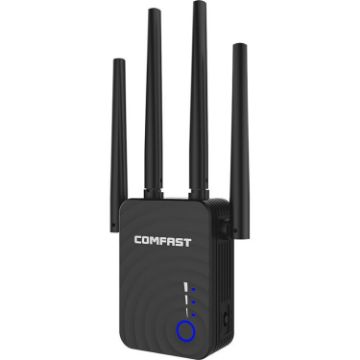
COMFAST CF-WR754AC 1200Mbps Dual-band Wireless WIFI Signal Amplifier Repeater Booster Network Router with 4 Antennas
- Configure 4 omni-directional dual-frequency high-gain antennas to enhance the signal receiving and sending capabilities of the device
- According to user needs, it can be switched to relay, AP, routing mode with one touch
- The strength of the relay signal can be judged by the color of the signal indicator
- Ingenious isolated heat dissipation design can effectively prevent the intrusion of dust and quickly dissipate heat
- After a successful setting, you can switch to other places according to your needs without repeated operations
£20.66 £24.17
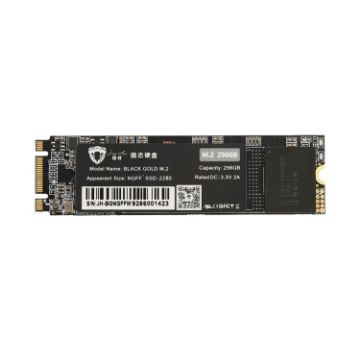
JingHai M.2 NGFF SSD Notebook Desktop Solid State Drive, Capacity:512GB
- Applicable type: desktop, notebook, etc.
- Interface type: NGFF interface
- Write data transfer rate: 550 (MB/s)
- Read data transfer rate: 500 (MB/s)
£46.59 £54.51
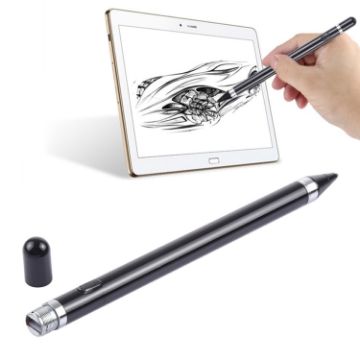
Rechargeable Stylus Pen 2.3mm Metal Nib - iPhone, iPad, Samsung - Capacitive Touch Screen (Black)
- Built-in rechargeable battery, easy charging with micro USB port.
- High sensitivity with 2.3mm nid.
- Compact and lightweight design, easy to carry.
- High sensitivity on touch screen, sensitive stylus tip gives you very smooth navigation.
- Smooth tip will not scratch screen and tip does not degrade or erase away.
£9.40 £11.75
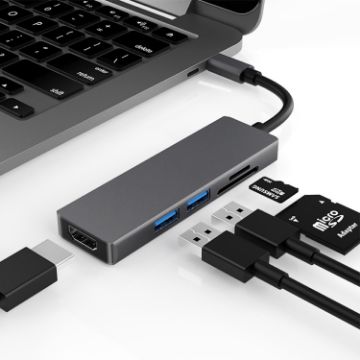
5 in 1 Type-c to HDMI + 2 x USB 3.0 + SD / TF Card Slot HUB Adapter
- 5-in-1 USB-C HUB: USB-C (Type-C) to 4K Supported HDMI adapter with 2 USB 3.0 Ports and SD / TF Card Reader
- 4K HDMI Compliant Adapter: Mirror screen displayed on screen via USB Type C to HDMI compliant hub port, directly stream 4K UHD or Full HD 1080p video to HDTV, monitor or projector.
- USB 3.0 Ports: Dual USB 3.0 ports support with data transfer speeds of up to 5Gbps. Compatible with USB keyboard / mouse, USB flash drive, even extended power consumption USB hard drives. The two USB 3.0 ports can be connected at the same time.
- SD / TF card reader: When you want to read your SD TF card, it only takes a few seconds to complete the reading speed.
- Convenient USB-C to card reader for USB-C/Type-C/Thunderbolt 3 devices to access files from SD/TF card reader, for photographer or designer, etc.
£13.21 £15.71
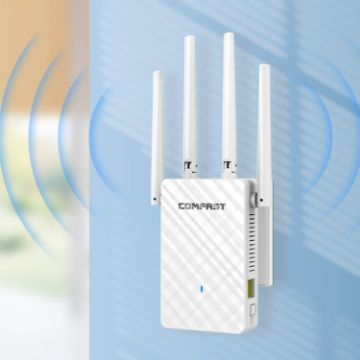
COMFAST CF-WR306S 300Mbps Wireless WiFi Signal Amplifier
- Working frequency: 802.11b/g/n, 2.412GHz-2.472GHz
- Wireless standards: support IEEE802.11a/b/g/n standards
- Transmission rate: 300Mbps
- Physical interface: 10/100Mbps, RJ45, WAN/LAN Ethernet port
- Working mode: relay, routing, AP, bridge
£12.94 £15.14
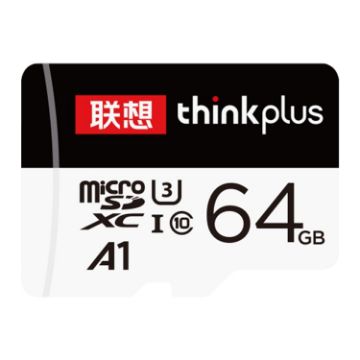
Lenovo 64GB TF (Micro SD) Card High Speed Memory Card
- Capacity: 64GB
- Reading speed: 100MB/s
- Writing speed: 40MB/s
- Size: 15x11x1mm
- Working environment: storage temperature: -25 to 80 degrees Celsius, working temperature: 0 to 70 degrees Celsius
£7.88 £9.69
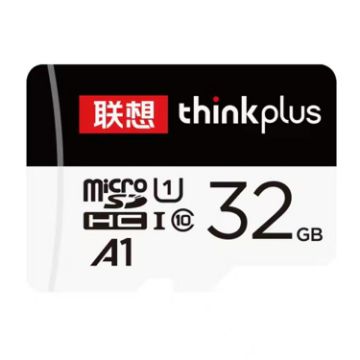
Lenovo 32GB TF (Micro SD) Card High Speed Memory Card
- Capacity: 32GB
- Reading speed: 90MB/s
- Writing speed: 30MB/s
- Size: 15x11x1mm
- Working environment: storage temperature: -25 to 80 degrees Celsius, working temperature: 0 to 70 degrees Celsius
£6.41 £7.95
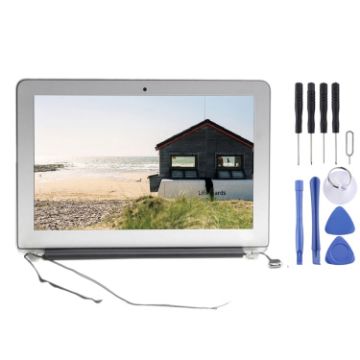
LCD Screen Display Assembly for Apple Macbook Air 11 A1465 (Mid 2013 - Early 2017) (Silver)
- Replacement LCD display assembly for Apple Macbook Air 11 A1465 (Mid 2013 - Early 2017)
- Replace your broken or unusable item with a new one
- Make your device look more refreshing than ever
- Completely fit and work
- Each item has been checked and in good condition before shipping
- Professional installation is highly recommended. We will not be responsible once the screen is installed
- Before Installation Notes
- Tips 1: Test before installation
£104.67 £126.66
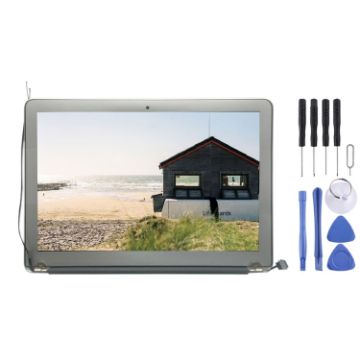
LCD Screen Display Assembly for Apple Macbook Air 11 A1465 (Mid 2012) (Silver)
- Before Installation Notes
- Tips 1: Test before installation
- When testing, do not remove any protective film or tags. Please pay attention to the problem of static electricity.
- Before attempting any repair, be sure to ground yourself is an ESD (electro static discharge) strap. This will prevent static electricity from damaging the electronic components within the phone.
- Ensure you wear eye protection and use caution not to cut your finger with the glass splinters.
- Tips 2: Simulates testing
- Screen replacement is very fragile product. We strongly suggest test before installation. Please simulates testing, which means mobile phone apart, (motherboard + LCD or screen) connected audio cable and new replacement, power on, test finished. If test OK, please install it. If it can not show, please contact us at the very first time. And please do not force it to be installed in mobile phone. We will not be responsible once the screen is installed.
- Tips 3: Do not over-bend cable
£103.75 £120.35
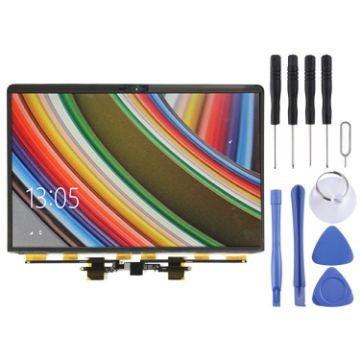
LCD Screen for MacBook Pro 13.3 inch A1989 (2018) MR9Q2 EMC 3214
- Before Installation Notes
- Tips 1: Test before installation
- When testing, do not remove any protective film or tags. Please pay attention to the problem of static electricity.
- Before attempting any repair, be sure to ground yourself is an ESD (electro static discharge) strap. This will prevent static electricity from damaging the electronic components within the phone.
- Ensure you wear eye protection and use caution not to cut your finger with the glass splinters.
- Tips 2: Simulates testing
- Screen replacement is very fragile product. We strongly suggest test before installation. Please simulates testing, which means mobile phone apart, (motherboard + LCD or screen) connected audio cable and new replacement, power on, test finished. If test OK, please install it. If it can not show, please contact us at the very first time. And please do not force it to be installed in mobile phone. We will not be responsible once the screen is installed.
- Tips 3: Do not over-bend cable
£104.67 £123.52
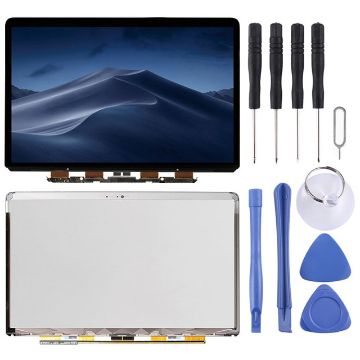
LCD Screen for Macbook Pro Retina 13 inch A1502 (2013-2014)
- Before Installation Notes
- Tips 1: Test before installation
- When testing, do not remove any protective film or tags. Please pay attention to the problem of static electricity.
- Before attempting any repair, be sure to ground yourself is an ESD (electro static discharge) strap. This will prevent static electricity from damaging the electronic components within the phone.
- Ensure you wear eye protection and use caution not to cut your finger with the glass splinters.
- Tips 2: Simulates testing
- Screen replacement is very fragile product. We strongly suggest test before installation. Please simulates testing, which means mobile phone apart, (motherboard + LCD or screen) connected audio cable and new replacement, power on, test finished. If test OK, please install it. If it can not show, please contact us at the very first time. And please do not force it to be installed in mobile phone. We will not be responsible once the screen is installed.
- Tips 3: Do not over-bend cable
£89.94 £106.13

NEED HELP?
Payment options
