Search



WORLDWIDE SHIPPING
fast, flexible, secure options

ONLINE SUPPORT 24 / 7
anytime, anywhere help

MONEY BACK GUARANTEE
shop with confidence

WIDE SELECTION
every day low prices
Cars & Vehicles
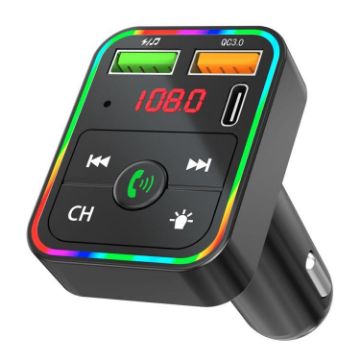
PDF2 With Ambient Light Fast Charger FM Transmitter Bluetooth Hands Free Call MP3 Player
- Bluetooth-compatible Hands-Free CallingExperience convenient hands-free communication while driving, enhancing safety and ease of use.
- Advanced Audio ProcessingEnjoy clear conversations with echo cancellation and noise reduction technology during calls.
- Versatile ConnectivitySupports USB, TF card, and Bluetooth-compatible functionality, offering multiple options for audio playback.
- FM TransmitterEquipped with stereo Bluetooth-compatible and FM transmission technology for seamless integration with your car's audio system.
- Ambient LightingFeatures a seven-color ambient light to create a pleasant atmosphere in your vehicle.
- Fast Charging CapabilityIncludes QC3.0 and PD25W charging ports for rapid device charging on the go.
- Auto Memory FunctionAutomatically remembers your settings and playback position for convenience.
- Bluetooth-compatible Version: 5.3
£6.87 £8.38
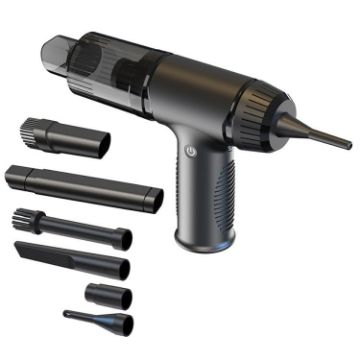
V16D 7 Nozzles 2 in 1 Car Vacuum Cleaner Powerful Suction Rechargeable Handheld Dust Blower
- Dual Functionality: Features powerful suction in two modes and two-level blowing function, effectively removing dirt from various angles and hard-to-reach areas.
- Extended Battery Life: Equipped with dual batteries, providing up to 20 minutes of continuous operation at low power and 16 minutes at high power without interrupting cleaning for charging.
- High-Performance Motor :Incorporates a robust 50W motor with 42,500 RPM, delivering strong suction power for efficient cleaning.
- Versatile Cleaning: Includes 7 different nozzles to adapt to various cleaning needs, from keyboards to car interiors.
- Quick Charging: Supports QC3.0 fast charging, with the 7.4V battery fully charging in about 2 hours for minimal downtime.
- USB-C Compatibility: Features a USB-C interface, ensuring compatibility with various charging methods for convenient use at home or on-the-go.
- Product model: V16D
- Suction: low gear: about 4KPa, high gear: about 5KPa (MAX)
£16.21 £18.80
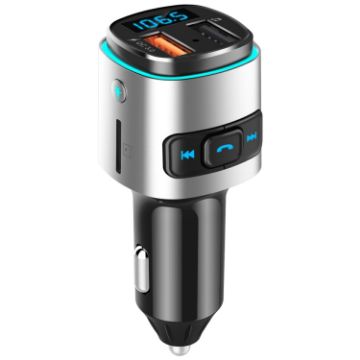
BC41 Multi-Functional MP3 Player, Bluetooth Receiver, USB Charger, Automobile Cigarette Lighter (Silver Grey)
- Suitable for all types of vehicles
- LEDdisplay
- Supports QC3.0 fast charge output
- Supportsiphone andipadcharging
- Supports stereo FM transmission technology
- Supports U disk playing music
- Supports TF cardplaying music
- Supports WMA, MP3, WAV, APE, FLAC music format
£11.41 £13.70
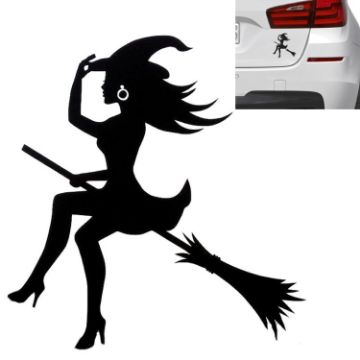
Sexy Witch Fashion Car Sticker Vinyl Decals Decor, Size: 15x14cm (Black)
- Design:Cartoon
- Material Type:Vinyl
- Sticker:Car Sticker
1. Clean the surface where the decal will be installed- Slowly removed the paper backing making sure that your decal remains stuck to the clear transfer tape. If part of your decal lifts up with the backing, press the paper backing back down against it until it stays stuck to the transfer tape.
- Once your decal is peeled away from the backing, line up & position your decal against the surface to which it will be applied.
- Use a credit card, squegee, or something similar to smooth down your decal, making sure that it is completely stuck to the surface.
- Carefully & Slowly, remove the transfer tape from your decal, making sure that your decal is stuck to the surface. If you see part of the decal does not release from the transfer tape, press it back down to the surface and repeat the process.
£2.57 £3.11

Sexy Witch Fashion Car Sticker Vinyl Decals Decor, Size: 15x14cm (Silver)
- Design:Cartoon
- Material Type:Vinyl
- Sticker:Car Sticker
1. Clean the surface where the decal will be installed- Slowly removed the paper backing making sure that your decal remains stuck to the clear transfer tape. If part of your decal lifts up with the backing, press the paper backing back down against it until it stays stuck to the transfer tape.
- Once your decal is peeled away from the backing, line up & position your decal against the surface to which it will be applied.
- Use a credit card, squegee, or something similar to smooth down your decal, making sure that it is completely stuck to the surface.
- Carefully & Slowly, remove the transfer tape from your decal, making sure that your decal is stuck to the surface. If you see part of the decal does not release from the transfer tape, press it back down to the surface and repeat the process.
£2.68 £3.24
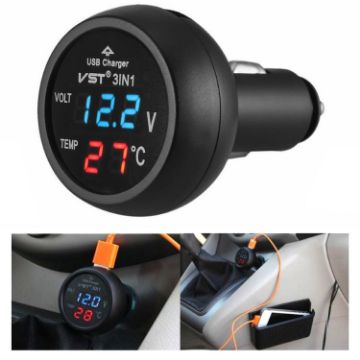
3 In 1 Car USB Charger Car Cigarette Lighter With Voltage Detection Display Multi-function Monitoring Table (Red Blue)
- Multi-function car LCD digital display
- With car charger, and can real-time monitor temperature and car voltage
- To ensure the safety of your car
- Easy to install,no needed the professional skill
- A special car thermometer with stylish and lightweight design
- Provide extremely convenience
- Digital thermometer suitable for 12V/24V battery measuring range: -9~80 degree Celsius
- Simply plug into charger socket, instant confirmation of battery voltage, low power consumption high light display.
£7.30 £8.61
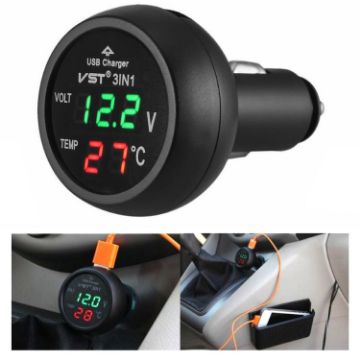
3 In 1 Car USB Charger Car Cigarette Lighter With Voltage Detection Display Multi-function Monitoring Table (Red Green)
- Multi-function car LCD digital display
- With car charger, and can real-time monitor temperature and car voltage
- To ensure the safety of your car
- Easy to install,no needed the professional skill
- A special car thermometer with stylish and lightweight design
- Provide extremely convenience
- Digital thermometer suitable for 12V/24V battery measuring range: -9~80 degree Celsius
- Simply plug into charger socket, instant confirmation of battery voltage, low power consumption high light display.
£7.30 £8.76
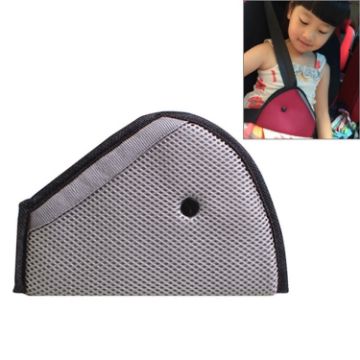
Car Safety Belt Adjuster for Children, Size: 24cm x 16.5cm (Grey)
- Reposition seat belt for a secure fit
- Crash tested for safety
- Help to keep belt away from neck and face
- Comfortable fit
- Recommended for older children who have outgrown their forward facing car safety seats
£3.43 £4.01
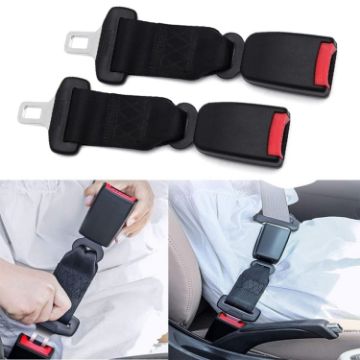
2 PCS Child And Pregnant Woman Car Seat Belt Extender, Length:26cm (Black)
- Healthy and environmentally friendly materials, durable
- Applicable to the original car seat belt 2.1cm insert
- Easy to install and versatile
- Material: ABS+steel
- Size: 28x40x46mm
- Weight: 23cm: about 175g, 26cm: about 176g, 29cm: about 177g, 36cm: about 180g
£6.74 £8.02
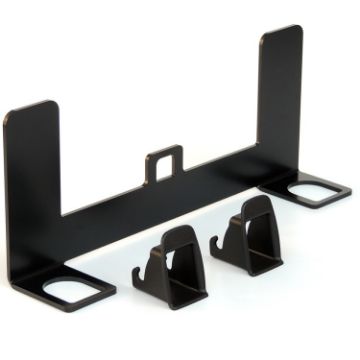
ZL-2023 Universal ISOFIX + Latch Children Seat Interface
- Universal ISOFIX+latch dual-purpose interface bracket, one-piece molding without welding and drilling, simple and firm installation.
- Support all child safety seats with ISOFIX.
- Made of steel, durable.
- Installation vehicle requirements:
- (1). Car and original car without ISOFIX interface
- (2). The backrest of the car can be tilted forward
- (3). There is a gap between the backrest of the car and the seat cushion and it is not closed
£11.32 £13.70
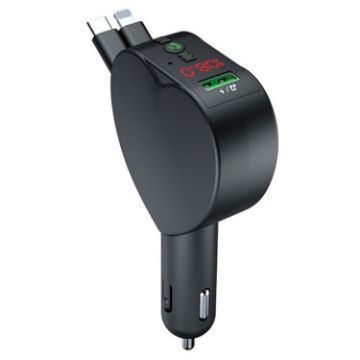
Y2 With Type-C Retractable Cables Car Bluetooth MP3 Player Hands-Free Call Adapter
- Hands-Free Calling: Make clear, hands-free calls with Bluetooth, enhanced by echo cancellation and noise reduction
- Music Streaming & FM Transmitter: Stream music via Bluetooth or FM, supporting MP3 playback for versatile listening
- Dual Charging Cables: Built-in retractable Type-C and 8 Pin cables keep your devices charged without tangles
- USB Charging & Voltage Monitoring: Includes a USB port for extra charging and voltage detection for battery health
- Memory Function: Automatically resumes music playback where you left off after restarting your vehicle
- Bluetooth version: 5.3
- FM transmission frequency: 87.5-108Mhz
- Cigarette lighter power supply: DC12V - 24V voltage power supply
£10.36 £12.74
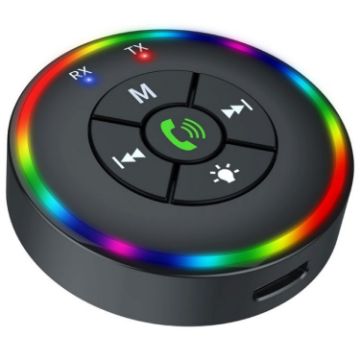
Q10 With Colorful Lamp 2-in-1 Bluetooth 5.3 Wireless Transmitter/Receiver MP3 Player Adapter
- Dual Functionality: Switch seamlessly between Bluetooth Transmitter (TX) and Receiver (RX) modes for versatile use with a range of devices. Stream audio from your computer, TV, or projector, or receive it on speakers, headphones, or car systems
- Bluetooth 5.3: Enjoy a stable and fast connection with Bluetooth 5.3, ensuring low latency and high-quality audio streaming in both transmission and reception modes
- TF Card Playback: Play your favorite music directly from a TF card, offering an additional convenient option for audio playback
- Universal Compatibility: Equipped with an AUX interface, this adapter is compatible with various devices, making it an ideal choice for home and car audio systems
- Portable and Long-lasting: Built-in 180mAh battery with a protection board provides 3-4 hours of continuous use, making it perfect for on-the-go entertainment
- Model: Q10
- Transmission distance: 15m
- Bluetooth version: V5.3
£6.51 £7.69